 Google Drive
 OneDrive
Below we show how to convert PDF pages to JPG, PNG or TIFF images.
-
上传您的文件
文件通过加密连接安全上传. 文件保持安全. 处理后,它们将被永久删除.
不想上传您的文件并离线处理它们?
Try Sejda Desktop. 与在线服务功能相同,且文件永远不会离开您的计算机.点击“上传”并从您的本地计算机选择文件.
将文件拖放到页面上也有效.
Dropbox 或 Google Drive 文件
您也可以从 Dropbox 或 Google Drive 中选取 PDF 文件.
展开“上传”下拉菜单并选择您的文件.
-
Select an image format
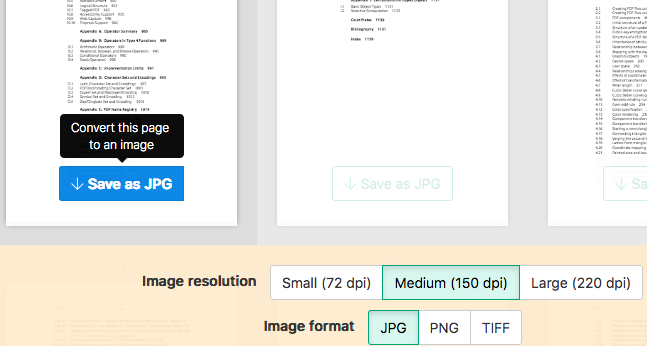
By default PDF is converted to JPG. Alternatively, choose to save your PDF as PNG or TIFF.
-
Select image resolution
Choose between 220 dpi, 150 or 75 dpi. Larger resolution (220 dpi) will output larger images.
-
Choose pages to convert
Click to select pages to convert. By default all pages in the PDF document are converted.
Quickly convert just a few pages?
Press the
Save as JPGbutton on the PDF page to quickly save it as an JPG image. Other image formats also supported.![]()
-
Save your changes
Click the
Convertbutton and thenDownloadan archive containing all the images.