
 Google Drive
 OneDrive
Below we show how to convert PDF files to black and white.
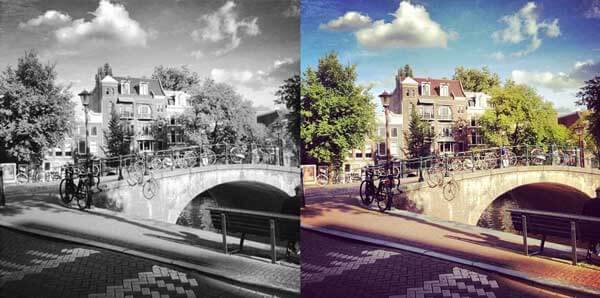
In case you’re not sure what grayscale means, it’s something that used to be in full colours and is now represented by a range of grey shades from white to black, as used in a monochrome display.
Few reasons to convert your colour PDF to grayscale are:
Save on coloured printer ink. If you're printing a grayscale PDF only black ink will be used.Compress the PDF to a smaller size. Works best when the PDF contains images. Grayscale images are smaller in size than coloured ones.
上传您的文件
文件通过加密连接安全上传. 文件保持安全. 处理后,它们将被永久删除.
不想上传您的文件并离线处理它们?
Try Sejda Desktop. 与在线服务功能相同,且文件永远不会离开您的计算机.
点击“上传”并从您的本地计算机选择文件.
将文件拖放到页面上也有效.
Dropbox 或 Google Drive 文件
您也可以从 Dropbox 或 Google Drive 中选取 PDF 文件.
展开“上传”下拉菜单并选择您的文件.
Step 2: Choose options
Use no colour ink when printing
A common reason for converting a PDF document to grayscale is to consume no coloured ink when printing it. If your PDF is grayscale, only black ink is used when you print it.
Offset printing
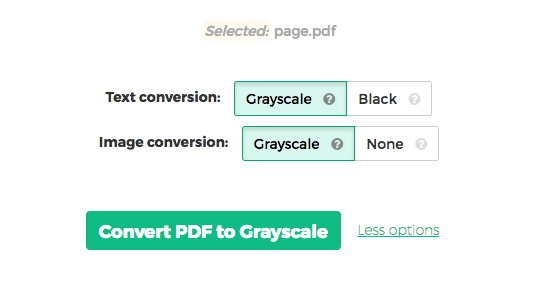
One of the tool features is that it can convert text to grayscale or simply black. This is handy when preparing a PDF document for offset printing.
Another feature allows skipping images altogether, leaving them in full colour, while converting to grayscale (or black) the text contents.