 Google Drive
 OneDrive
Below we show how to convert PDF pages to JPG, PNG or TIFF images.
-
Uploadați fișierele Dvs
Fișierele sunt uploadate în sigurantă pe o conexiune criptată. Fișierele rămân în sigurantă. După procesare sunt sterse permanent.
Preferi sa nu uploadezi fișierele și sa lucrezi cu ele offline?
Try Sejda Desktop. Aceleasi functionalitati ca și serviciul online, dar fișierele nu părăsesc niciodata calculatorul tău.Click 'Upload' și selecteaza fișiere de la tine de pe computer.
Poti faci și drag & drop la fișiere pe pagina.
Fișiere din Dropbox sau Google Drive
Poti selecta fișiere PDF din Dropbox sau Google Drive.
Expandeaza butonul 'Upload' și selecteaza fișierele.
-
Select an image format
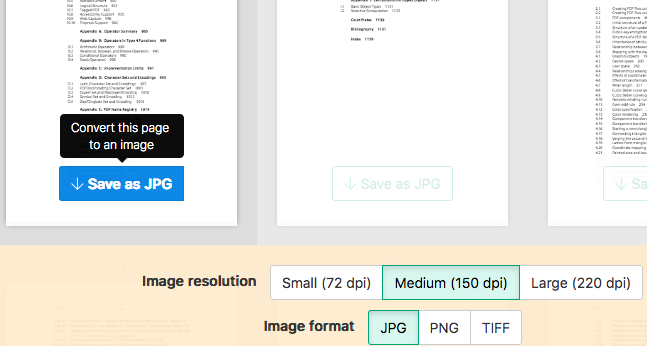
By default PDF is converted to JPG. Alternatively, choose to save your PDF as PNG or TIFF.
-
Select image resolution
Choose between 220 dpi, 150 or 75 dpi. Larger resolution (220 dpi) will output larger images.
-
Choose pages to convert
Click to select pages to convert. By default all pages in the PDF document are converted.
Quickly convert just a few pages?
Press the
Save as JPGbutton on the PDF page to quickly save it as an JPG image. Other image formats also supported.![]()
-
Save your changes
Click the
Convertbutton and thenDownloadan archive containing all the images.