
 Google Drive
 OneDrive
Below we show how to rotate a pdf
ファイルをUpload
ファイルは暗号化接続で安全にUploadされます. ファイルは安全に保護されます. 処理後、ファイルは完全に削除されます.
ファイルをUploadせず、オフラインで作業したいですか?
Try Sejda Desktop. オンライン版と同じ機能で、ファイルがPCから出ることはありません.
'Upload'をクリックしてPCからファイルを選択.
ファイルをページにドラッグ&ドロップしてもOKです.
Dropbox または Google Drive のファイル
Dropbox や Google Drive からも PDF を選択できます.
'Upload'のドロップダウンを開いてファイルを選択してください.
Step 2: Select pages to rotate
Pages can be rotated 90° clockwise, 90° counter-clockwise or 180° (flipped horizontally)
Rotate all pages
If you want to rotate all pages in the document, make sure All pages is selected. Then, click the rotation to be applied: 90°, 90° or 180°
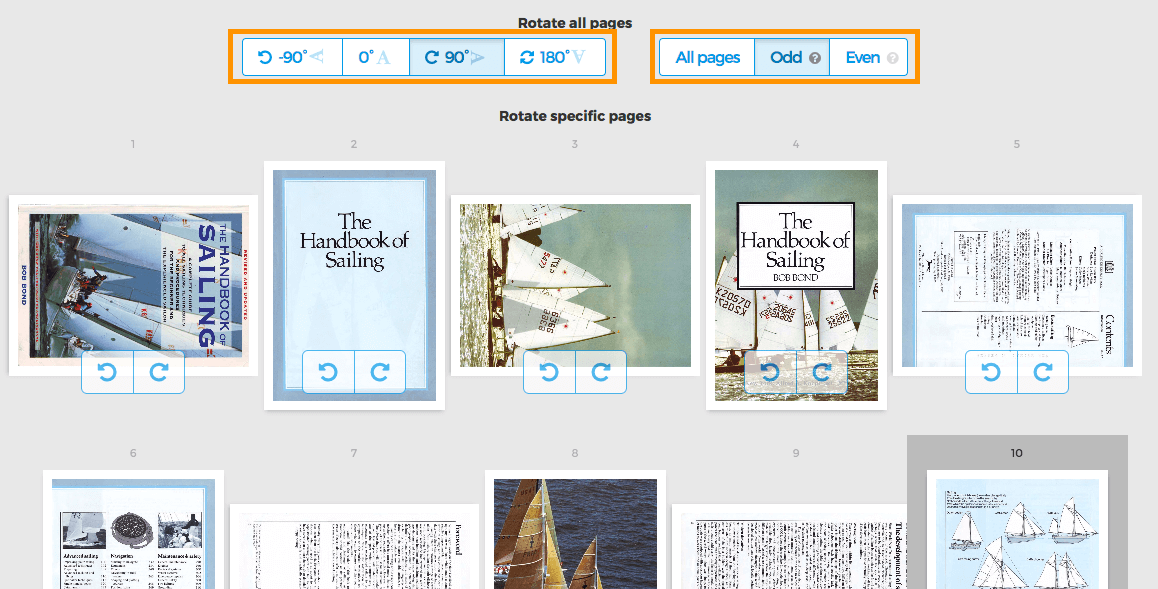
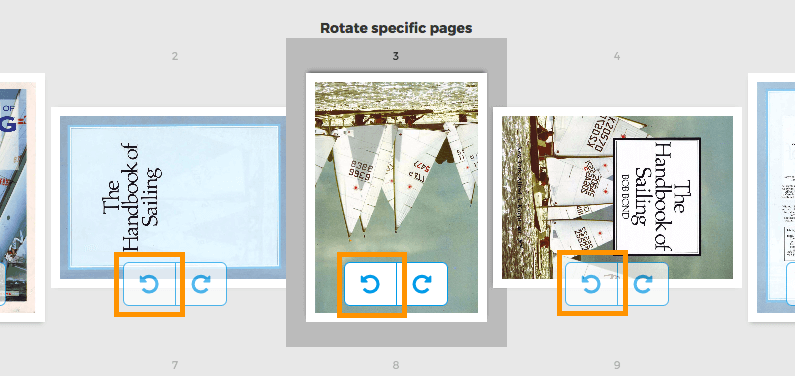
Rotate specific pages
Each page has two buttons to rotate that single page: or
Rotate only odd or even pages
Rotating only odd pages (2,4,6, etc) or all even pages (1,3,5) can also be done. Select either Odd pages or Even pages